
Music production in logic pro X
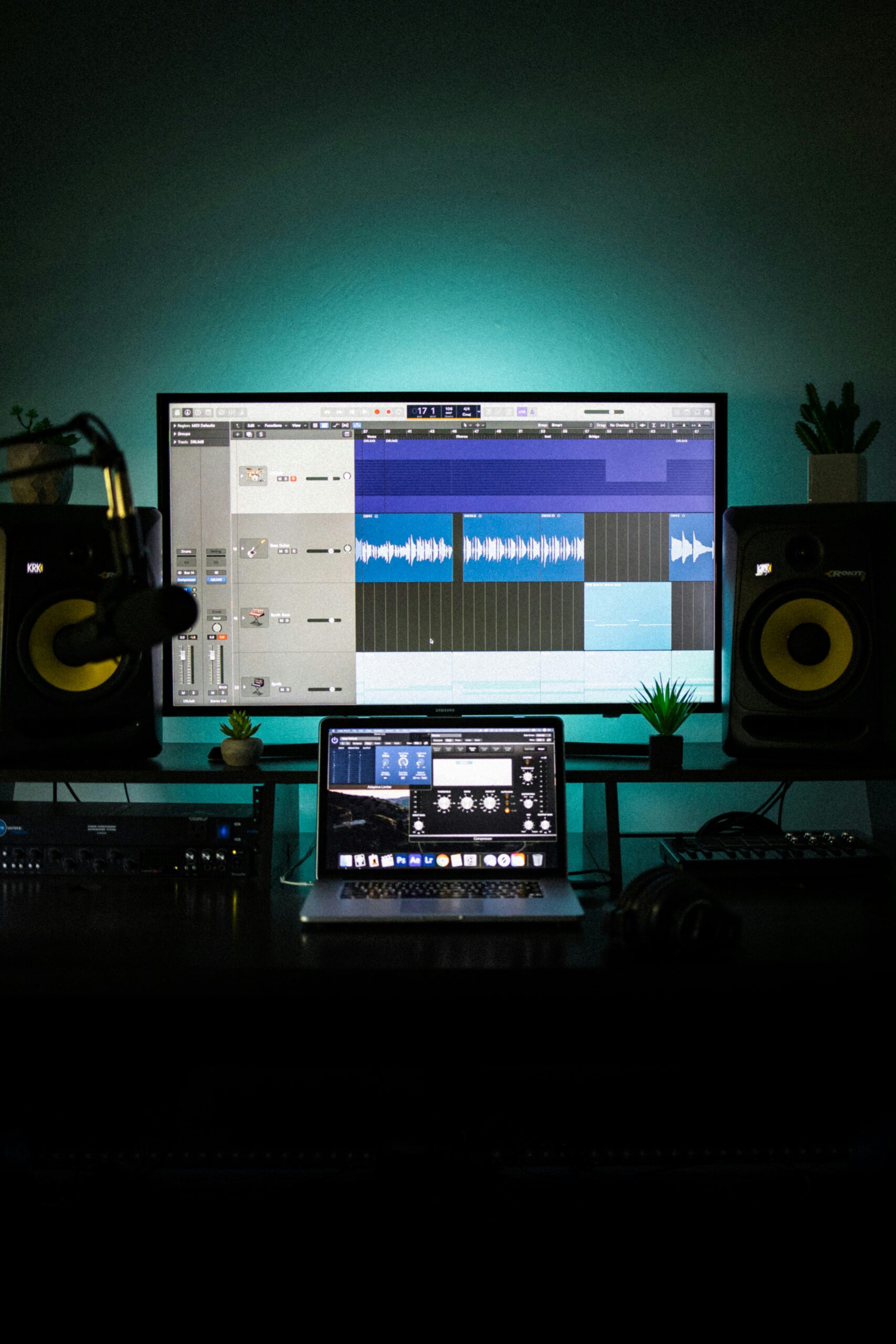
Introduction to Logic Pro X
Logic Pro X is a professional digital audio workstation (DAW) developed by Apple, designed for musicians, producers, and audio engineers to compose, record, edit, mix, and produce music. Known for its user-friendly interface and powerful features, Logic Pro X is widely used by professionals in the music production industry.
Whether you’re a beginner or an experienced producer, Logic Pro X offers a vast array of tools to help you bring your musical ideas to life. This guide will provide an overview of the key features and concepts of Logic Pro X to help you get started.
Key Features of Logic Pro X:
1. User-Friendly Interface
Logic Pro X features an intuitive interface that is accessible to both beginners and seasoned professionals. The workspace consists of multiple sections:
- Tracks Area: Where you record and arrange your music.
- Mixer: For adjusting audio levels, effects, and other mixing tasks.
- Piano Roll: To visually edit MIDI and automate notes.
- Inspector: Displays settings and options for selected tracks and regions.
2. Advanced MIDI Capabilities
Logic Pro X excels in MIDI composition, offering powerful tools for both programming and performance:
- MIDI Editor: Customize and edit MIDI data using the piano roll, score editor, or event list.
- Quantize and Groove Templates: Adjust timing and feel of your MIDI performances.
- Arpeggiator: Automatically create arpeggios from chords you play.
- Drummer: A virtual session player that generates drum performances in various styles.
3. Comprehensive Audio Recording & Editing
Logic Pro X provides professional-quality audio recording and editing features:
- Multi-Track Recording: Record multiple tracks simultaneously with precision.
- Flex Time: Edit timing and tempo of audio tracks without altering pitch.
- Flex Pitch: Fine-tune pitch for vocals and instruments.
- Audio File Editing: Cut, trim, loop, and edit audio clips with ease.
4. Virtual Instruments and Effects
Logic Pro X comes with a wide selection of built-in virtual instruments and effects:
- Software Instruments: From classic synthesizers to orchestral sounds, Logic includes a diverse range of virtual instruments like the EXS24 sampler, Alchemy synthesizer, and many more.
- Effects & Plug-ins: With built-in EQs, compressors, reverbs, delays, and more, Logic Pro X offers powerful sound-shaping tools. It also supports third-party plug-ins.
5. Comprehensive Mixing & Mastering Tools
Logic Pro X includes a full-featured mixing console with advanced tools to refine your sound:
- Track Stacks: Organize your tracks for easy management, especially useful for large projects.
- Automation: Automate volume, panning, and effects throughout your tracks.
- Buses and Sends: Route audio to external effects or submixes.
- Mastering: Finalize your tracks using built-in mastering tools or third-party plugins.
6. Loop Library
Logic Pro X offers an extensive collection of loops across many genres:
- Apple Loops: Pre-recorded audio loops that you can drag and drop into your project.
- Smart Loops: Loops that automatically adjust to the tempo and key of your project.
- Drummer Loops: Automatically generated drum performances that adapt to your song’s structure.
7. Live Performance Features
For musicians performing live, Logic Pro X provides powerful tools:
- Live Loops: A flexible way to create music in real-time using a grid of loops and samples, ideal for DJs and live performers.
- Global Tracks: Easily control tempo, time signature, and key across your entire project.
8. Advanced Automation and Scripting
Logic Pro X allows for highly detailed automation of various parameters:
- Automation Curves: Smoothly adjust automation for things like volume, panning, and effects.
- Control Surfaces: Use external MIDI controllers to automate parameters in real time.
- Scripting: Logic Pro X supports MIDI and AppleScript to automate custom tasks and workflows.
Workflow in Logic Pro X:
1. Start a New Project
Begin by choosing a project template based on your genre (e.g., electronic, orchestral, or hip-hop), or start from scratch. Logic Pro X provides pre-configured track settings for different types of music.
2. Recording and Composing
Use software instruments or record live instruments using the input devices (microphones, MIDI keyboards, etc.). Logic Pro X supports multi-track recording, so you can capture different parts of your music simultaneously.
3. Editing MIDI and Audio
Once your performance is recorded, use Logic’s advanced MIDI editor to adjust the timing, pitch, and velocity of your notes. For audio, you can edit audio clips, apply effects, and adjust the timing using Flex Time.
4. Mixing and Arranging
After your tracks are recorded, arrange them in the Tracks Area and mix them using the Mixer. Logic’s extensive suite of effects and plugins help you fine-tune the sound. You can also add automations for volume, effects, and panning.
5. Mastering and Exporting
Once your track is mixed, use Logic’s built-in mastering tools or third-party plugins to prepare your track for final export. Logic allows for exporting high-quality files suitable for streaming, CD production, or other formats.
Tips for Getting the Most Out of Logic Pro X:
- Explore the Library: Logic’s loop library is vast and can inspire you during your creative process.
- Learn Shortcuts: Keyboard shortcuts can greatly speed up your workflow. Take time to memorize commonly used commands.
- Use Track Stacks: Track Stacks allow you to group related tracks, making complex projects much easier to manage.
- Take Advantage of MIDI Effects: MIDI effects like arpeggiators and chord triggers can help you create complex patterns quickly.
- Experiment with Alchemy: Logic’s Alchemy synthesizer is extremely powerful, so take time to explore its capabilities for sound design.
Conclusion:
Logic Pro X is a powerful and versatile DAW used by music creators across the globe. Whether you’re a beginner or a pro, it offers everything you need to compose, record, edit, mix, and master your music. With a rich set of features, a user-friendly interface, and advanced tools, Logic Pro X is a valuable tool for any musician or producer looking to take their music production to the next level.